
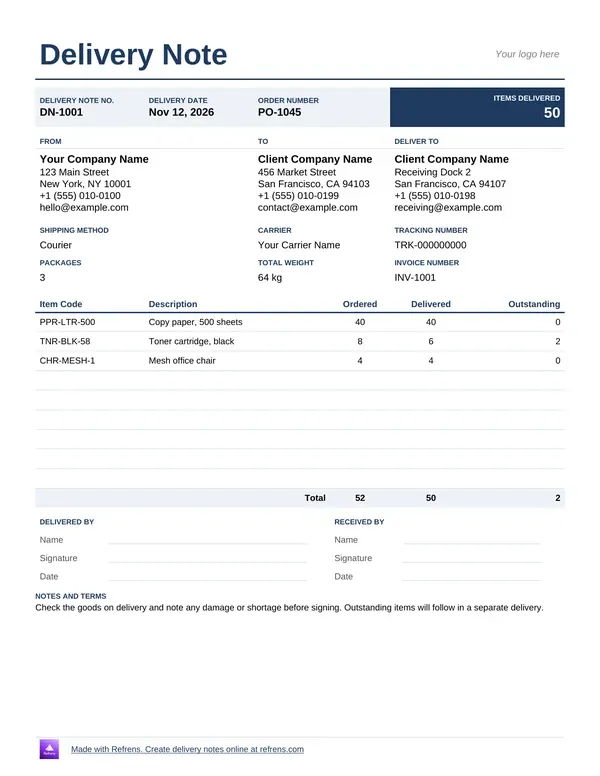
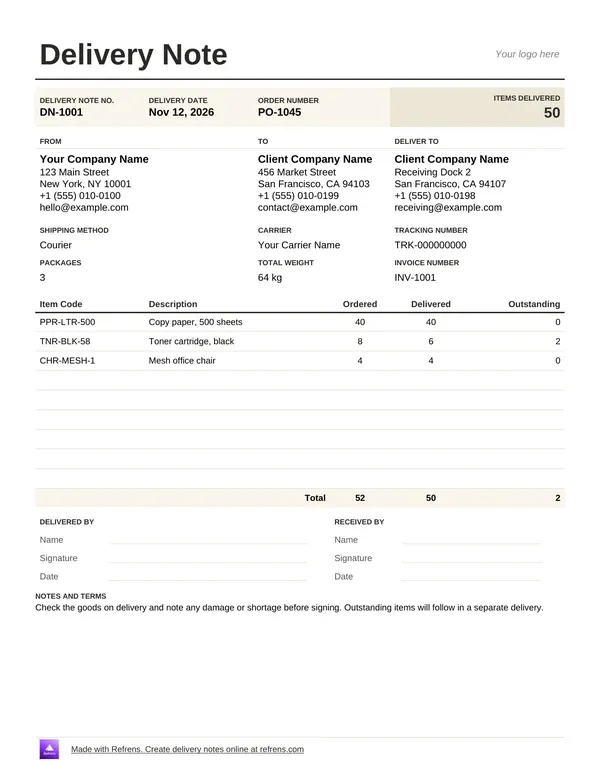
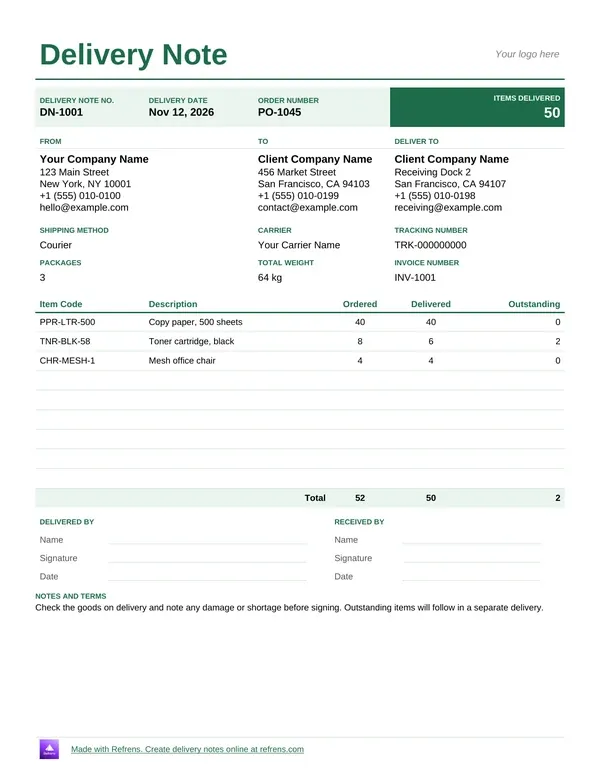
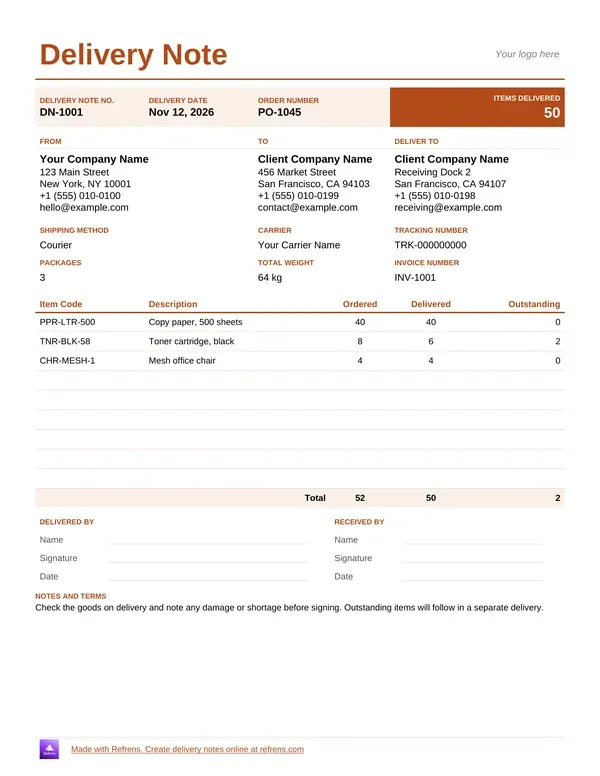
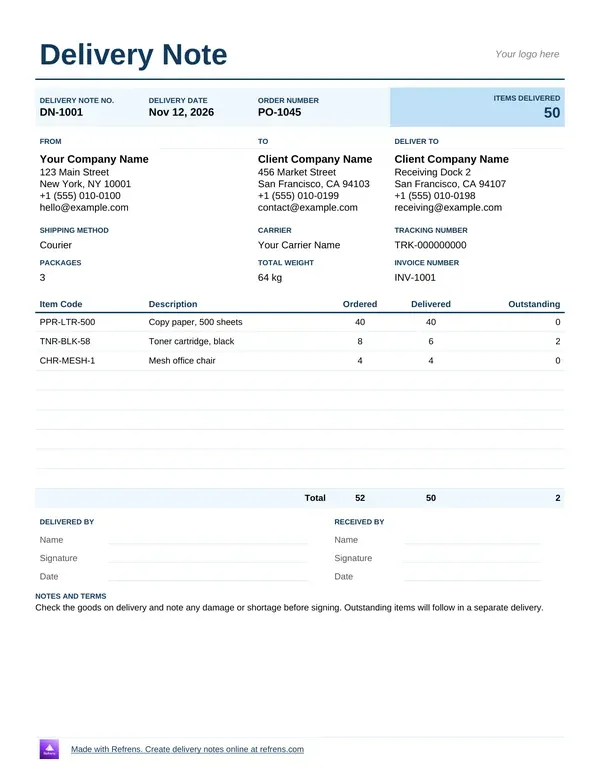
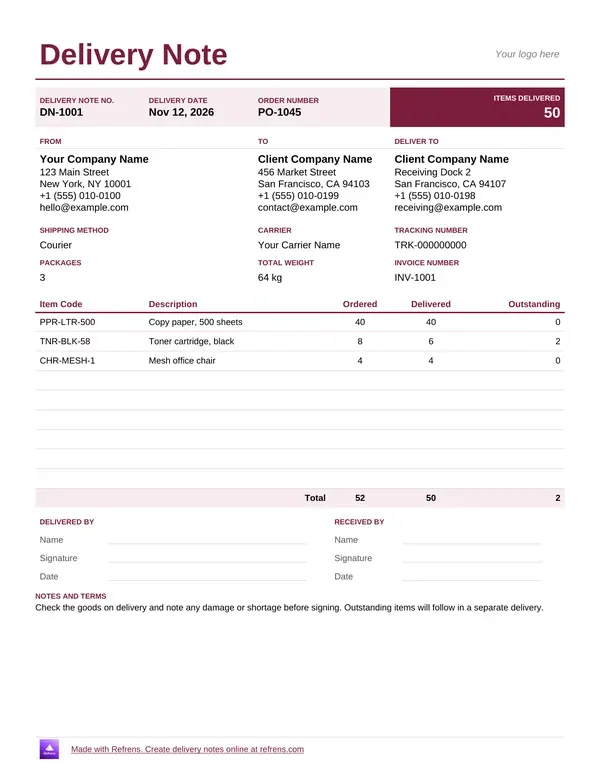
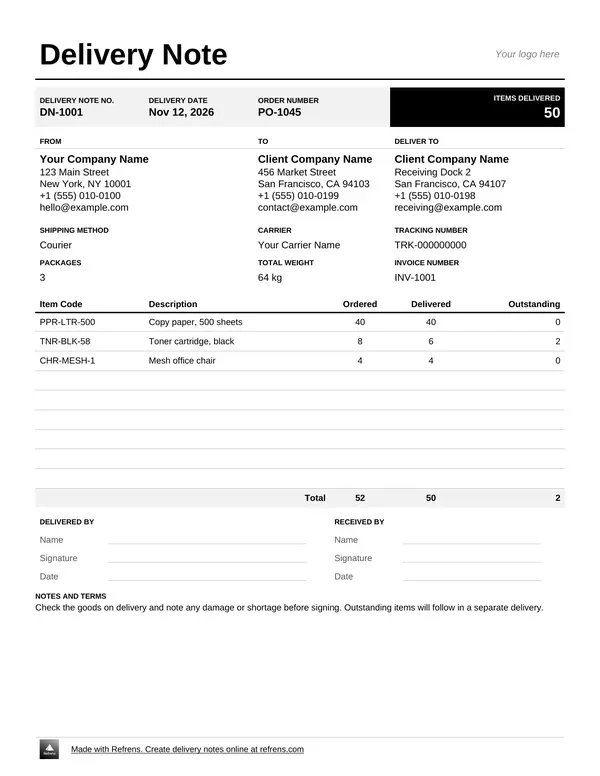
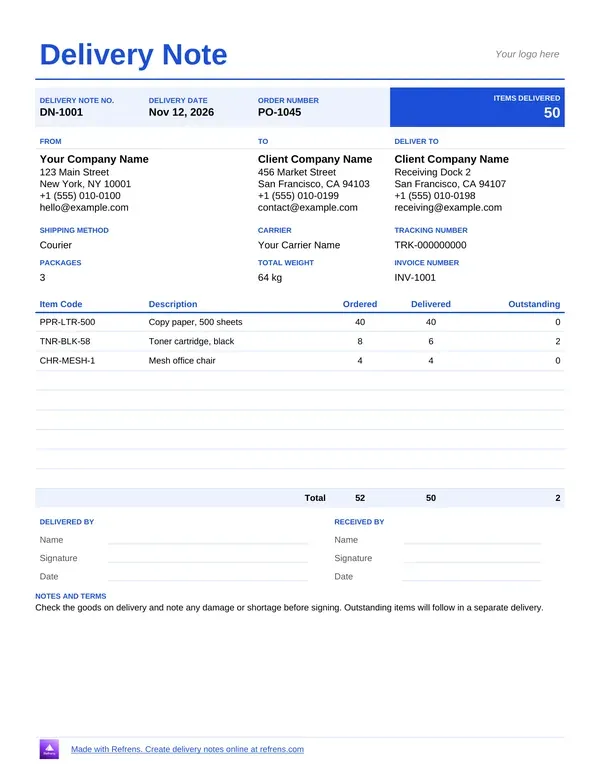
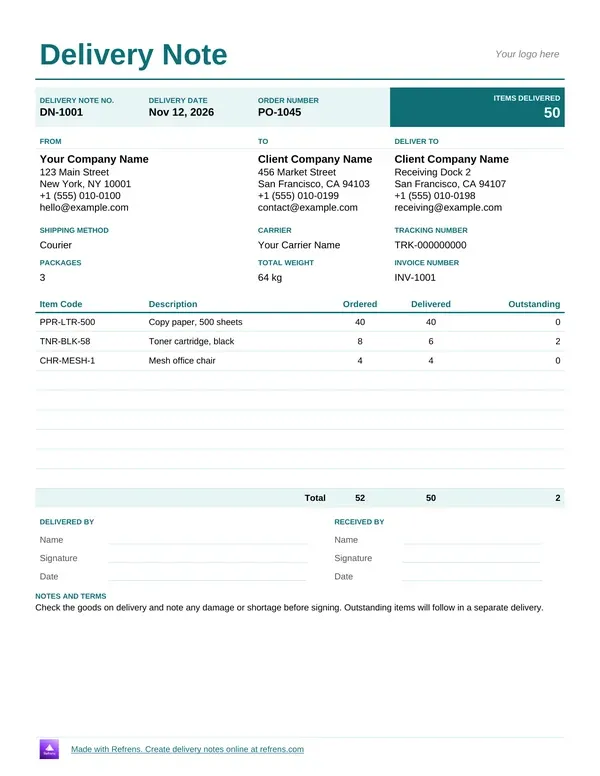
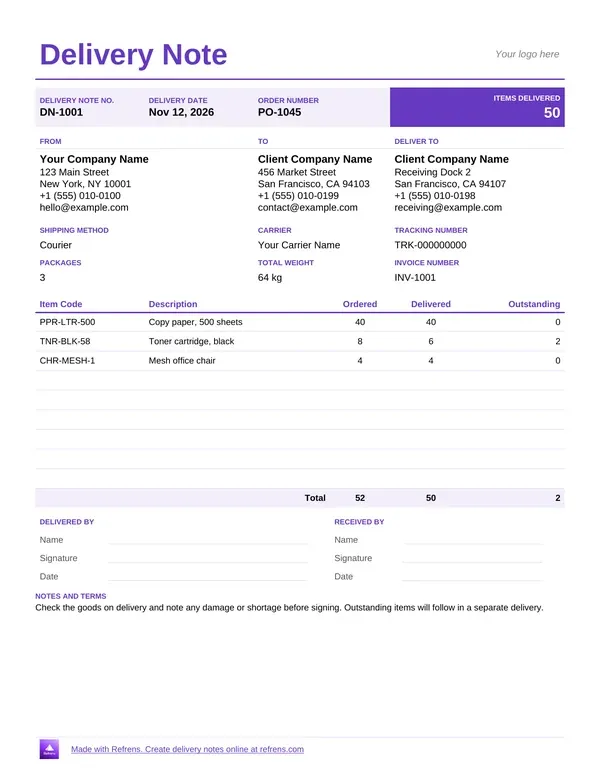
A delivery note lists delivered items and confirms receipt.
Use a delivery note template to make it easier and ensure everything is tracked.

Stock leaves your warehouse. Nothing records it. A month later the count is off and nobody knows why.
A delivery note fixes that. This page gives you a free delivery note template in Word and Excel, plus an online delivery note generator that makes a PDF. You also get a delivery note sample, the format that works, and a plain explanation of the delivery challan.
A delivery note is a document that travels with the goods. It lists what the sender delivers, in what quantity and to whom. The receiver checks the goods against it and signs.
Here is a plain example. A distributor ships 120 reams of paper to a shop. The driver hands over a delivery note that says "120 reams". The shop owner counts the boxes, signs the note and keeps a copy. The distributor keeps the other copy as proof of delivery.
A delivery note is a document that lists the goods a seller hands to a buyer, with quantities, and it proves what moved, not what it cost.
Some people call it a delivery order, a packing slip or a goods received note from the buyer's side. The job is the same: one numbered record of one delivery.
A delivery challan is a delivery note. Some markets use the word challan, others say delivery note. Same document, same job.
Think of it as a slip taped to a parcel. It answers four questions:
Take a trader who sends 50 bags of rice to a small shop. Before the truck leaves, the trader writes a delivery challan: "Challan 0031, 50 bags, to the shop on Park Road". The shop owner checks 50 bags, signs and keeps a copy. The trader keeps the other.
Key points to remember:
General guidance. Trade practice differs by market and industry, so check what your buyer expects.
Refrens gives you downloadable delivery note templates and an online generator. Pick by how you work.
Refrens offers 4 Word and 4 Excel delivery note templates. Use Word when the note carries remarks and a signature block. Use the delivery note template in Excel for a long list of items. Use the generator when you want a finished PDF without formatting anything.
Unlimited downloads of the Word and Excel templates need no signup. The files carry a small Refrens branding at the bottom of the page, and you can remove it. The online generator needs a free account. If 15 documents are not enough to judge the product, a Refrens sales person or account manager can extend your trial, so you can decide before you upgrade.
Use this delivery note format so the receiver can check the goods without a phone call. The same fields work as a delivery challan format.
This page gives general guidance. It is not legal or tax advice. Rules for transport documents differ by country and by what you ship, so check your local rules.
Every delivery note is one stock-out entry. Your stock count drops by the quantities on the note.
Skip the note and the stock leaves with no record. Your count says 500. The shelf holds 470. Nobody can say where 30 units went.
Number every note in one series. DN-0106, DN-0107, DN-0108. Now a gap shows. If the next note is DN-0110, then DN-0109 left the warehouse unrecorded. Find it today, not at the year-end count.
In your Refrens account, you choose how each document type touches inventory. You can set it to update stock automatically, to block only, or to do nothing. You can set delivery challans differently from invoices.
Illustrative example. We invented the business, the items and the quantities.
An office supplies distributor sends DN-0107 to a retail customer. The customer's order number is PO-5521. The note shows quantities only.
Printer paper, ream: Ordered 150, Delivered 120, Remark 30 on back-order
Toner cartridge: Ordered 40, Delivered 40, Remark Complete
Desk organizer: Ordered 60, Delivered 60, Remark Complete
Units delivered: 120 + 40 + 60 = 220
Back-order: 150 − 120 = 30 reams
Now the stock register for the same three items:
Check: 690 − 220 = 470, and 280 + 50 + 140 = 470.
In this illustrative example, one delivery note moves 220 units out of a 690-unit stock, and the register closes at 470.
The customer counts the boxes at the door and signs. The 30 missing reams are on the note as a back-order, so nobody argues about them later. Now suppose DN-0108 never gets written. Twenty-five reams leave the warehouse and the register still says 280. The numbering gap is the only clue.
A wholesaler ships many orders a day. A delivery note ties each shipment to one order and one stock-out entry.
A trader moves goods between suppliers and buyers, often without a warehouse of their own. The note proves what they handed over, and when.
A distributor delivers to many shops on a route. Each shop signs for its own delivery, so each drop has its own proof.
A Word or Excel file helps you write one delivery note. It has limits:
The online generator builds a PDF from a form, one document at a time. Your Refrens account handles the rest.
The sample shows the friction. The distributor writes three lines on the note, again on the stock register and again on the invoice. That is nine entries for one delivery.
In your Refrens account, you can convert a delivery note into an invoice, or link the two so they stay connected. The delivery note can also link to inventory, so the stock count moves with the dispatch. Prices stay hidden on the note and show on the invoice.
Use invoicing software with delivery notes to bill the delivery without retyping it. Send a quote first? Free quotation software carries the quote forward into the order and the delivery.
Every invoice, quotation and proforma feature in Refrens is also available on delivery notes. That includes custom fields and columns, your logo, letterhead and signature, email sharing and 150+ currencies. Some features sit on paid plans.
Use a template when you ship a few deliveries a week. Move to the software when you update stock by hand or retype the same delivery on a second document.
Match the document to the step in the sale.
A purchase order commits to the buy. A delivery note records the goods. An invoice asks for payment.
Scroll up and download a delivery note template in Word or Excel, or fill in the form to create a delivery challan online as a PDF. More than 150K businesses across 170+ countries send quotations and invoices with Refrens.
A delivery note is a document that travels with the goods and lists what the sender delivers, in what quantity and to whom. The receiver counts the goods, signs the note and keeps a copy. The sender keeps the other copy as proof of delivery.
A delivery challan is another name for a delivery note. It is a numbered slip that records what you send, how many, from whom and to whom. It records the goods and does not ask for payment.
A delivery note format should include the title, a unique number, the date, the sender, the receiver, the items with quantities, a reference to the buyer's order, remarks and the receiver's signature. Prices are optional. Use the field table above as a checklist.
A delivery note records the goods delivered and an invoice asks for payment. The note usually shows quantities only. The invoice shows prices, tax and the total. In Refrens, you can convert a delivery note into an invoice or link the two.
No. A delivery note can show quantities only, and many businesses keep prices off it. In the Refrens form, you can hide the rate, the amount and the totals, and show them again when the buyer asks.
A delivery note goes with the goods to the receiver and proves what you delivered. A gate pass lets goods or people leave a site, and the owner of the premises issues it. A delivery note can serve as the record that backs a gate pass for outgoing goods, depending on the site's rules.
Yes. You can download the Word and Excel delivery note templates free, with no signup and with unlimited downloads. To create a delivery note PDF with the online generator, you need a free account, which covers 15 documents a year across all document types. A Refrens sales person or account manager can extend your trial if you need more time to decide.
About Refrens. Refrens is invoicing and quotation software for small businesses, freelancers and service businesses. Create invoices, send quotations and collect payments in one place.


